← Back to the MP3 to MIDI converter
Can Suno convert audio to MIDI?
Suno does not transcribe audio into MIDI — it is a text-to-music generator. To get MIDI from a Suno song, export the audio and run it through a browser audio-to-MIDI converter.
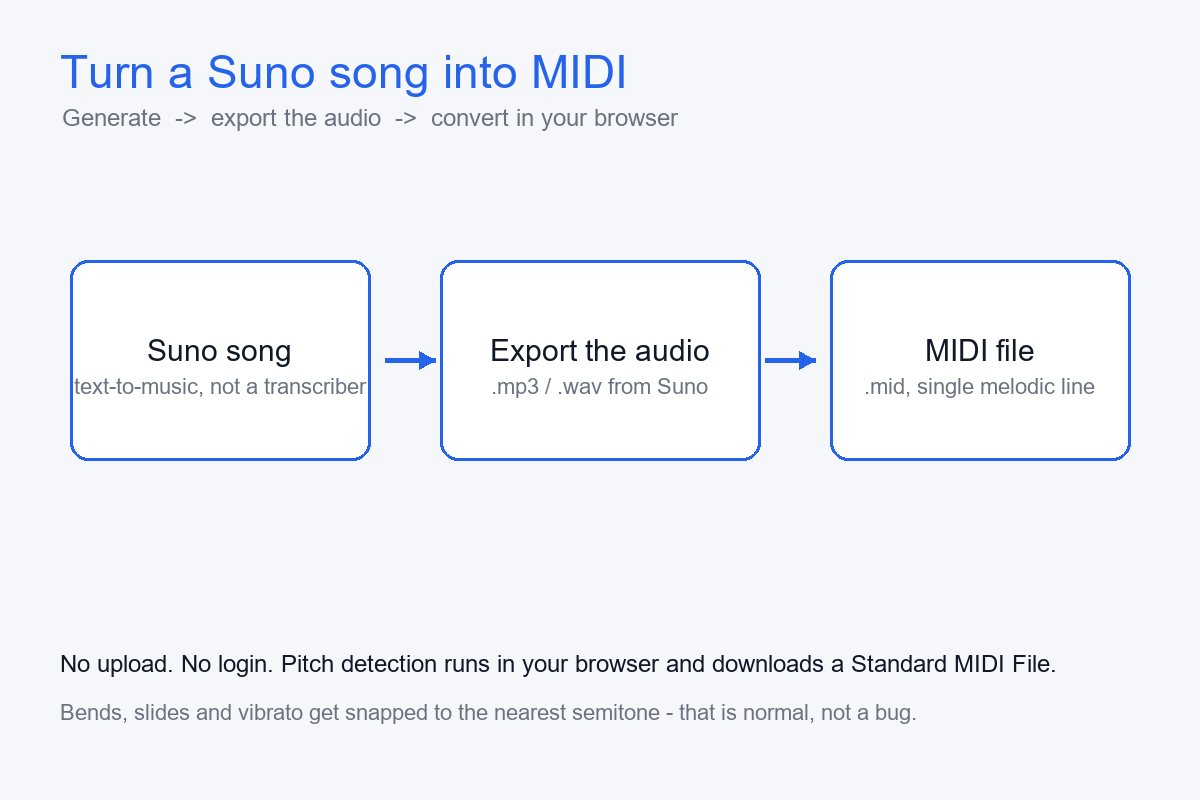
What Suno actually does
Suno is a generative music tool. You type a prompt — a style, a mood, maybe some lyrics — and it renders a full song as audio. It is built to create music from text, not to listen to an existing audio file and write out the note data. So the workflow "upload a track and get a .mid back" is not what it does.
This page won't claim a specific built-in export button we haven't verified. What matters for you: turning a Suno song into MIDI is a two-step job — get the audio out of Suno, then convert that audio. The second step is exactly what a browser audio-to-MIDI converter is for.
How to get MIDI from a Suno song
- Generate the song in Suno and download or export the audio — MP3 or WAV, whatever Suno gives you.
- Open a browser-based audio-to-MIDI converter. Nothing is uploaded and no login is required.
- Load the exported audio. Pitch detection runs on your device and the page downloads a Standard MIDI File.
The output is a single melodic line: Standard MIDI File (SMF) format 0, one track, 480 ticks per quarter note. It is not a multi-instrument separation — you get the most prominent melody, not each instrument on its own track. If you want per-instrument parts, you would separate the stems first with a different (usually server-side) tool, then convert each stem.
What the MIDI will and won't capture
Why it can sound out of tune. Pitch bends, slides, vibrato, and grace notes make the instantaneous pitch move continuously. A detector has to snap that moving pitch to the nearest semitone, so the bent portion lands on a "wrong" note. Microtonal inflections that fall outside 12-tone equal temperament get pulled to the closest semitone. This is a hard limit of pitch detection itself — not a sign the tool is "cheap." On Reddit, people complain about drift on paid $80 tools just as often as on free ones. When you shop for a converter, look at how it handles bends, not whether it costs money.
Where it stays clean. A steady piano single note or a stable synth lead barely moves in pitch, so it transcribes almost exactly. Material with heavy vibrato, guitar bends, vocal runs, string portamento, or blues and soul bends — and AI-generated vocals that lean on pitch slides — will drift more.
How to handle the drift. Look at where the detector placed the slides and grace notes and fix those by ear, pick a cleaner source take, or run a monophonic correction pass (for example Melodyne's monophonic algorithm) on the result. On bend-heavy material, treat the output as a draft: keep the rhythm and the contour, and finish the last 20% yourself.