WAV to MIDI Converter
Drop a .wav file and get an editable MIDI file of the melody. The whole job runs in your browser — nothing is uploaded, there is no login, and there is no queue.
Choose a file first — this button turns on once a file is loaded.
Output, every time: Standard MIDI File (SMF) format 0, single melody track, 480 ticks per quarter note, 120 BPM.
A WAV is uncompressed PCM audio, so there is no lossy decode step — the samples go straight into pitch detection. No length or size cap is written into this page: we converted a 25 MB, five-minute WAV without it being rejected, and anything beyond that depends on your device's memory rather than a limit set here. Nothing is uploaded and no account is needed.
Result
Supported inputs
Any audio file your browser can decode, which in current desktop and mobile browsers typically includes WAV, MP3, OGG, M4A / AAC and FLAC. This page is set up for WAV, but the converter does not refuse other formats — if your browser can decode the file, it will run.
If the browser cannot decode your file, the page says so instead of guessing. WAV being uncompressed means there is no compression artifact to degrade the pitch detection, but see the next section for why that does not translate into "more accurate".
How the conversion works
- Your file is decoded into raw audio samples in the browser (Web Audio API). Nothing is uploaded.
- The audio is read in short overlapping frames. Each frame is analysed for a fundamental pitch using a YIN-style pitch detector.
- Consecutive frames holding the same pitch are grouped into a note, with a minimum length so that flicker does not become a note.
- Each note is written as a MIDI note-on / note-off pair and packed into a Standard MIDI File.
Because every step happens in your browser, the audio never leaves your device. We checked this rather than assuming it: while converting a 25 MB WAV we watched every network request the page made, and the count was zero.
Does WAV convert better than MP3?
No — not in any way that matters for the result. MP3 is lossy compression, but once a decoder has reconstructed the audio samples, the pitch detection runs on essentially the same waveform. A WAV will not fix a bad transcription, and converting an MP3 to WAV first buys you nothing.
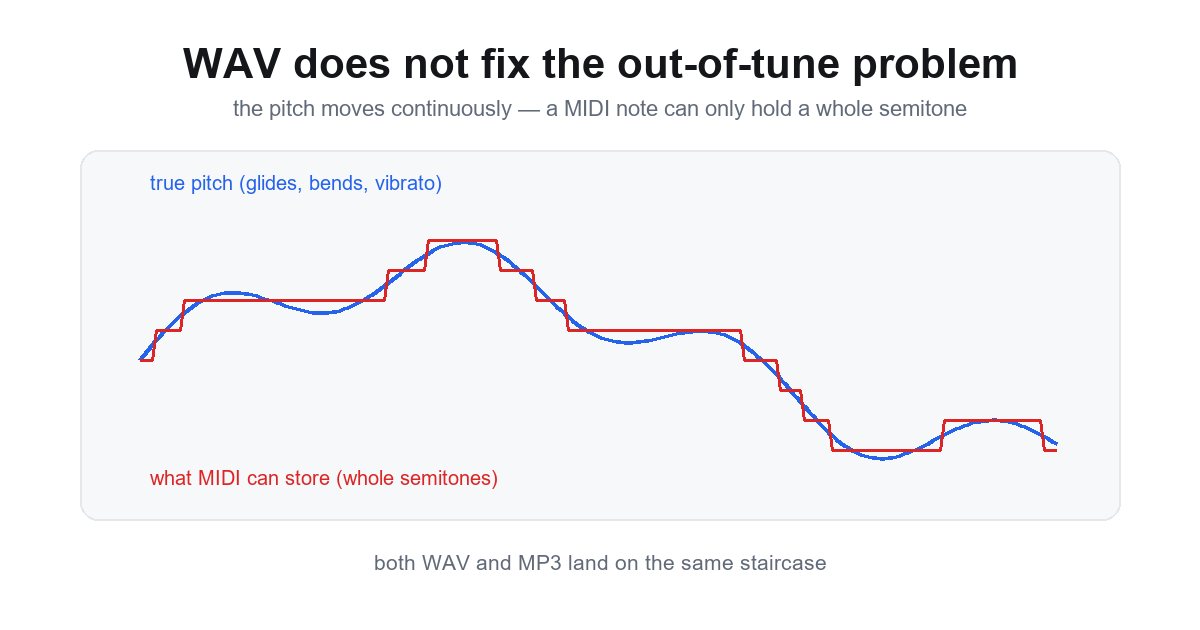
The reasons a transcription comes out wrong live in the performance, not the file format. Pitch bends, slides, vibrato and ornaments make the true pitch move continuously, and a MIDI note event can only hold a whole semitone — so the moving pitch gets rounded to the nearest one. That rounding is the out-of-tune sound people complain about, and it happens the same way whether the source was a WAV or an MP3. The full explanation is on our page about why MP3 to MIDI comes out out of tune.
Use WAV because you have it and it skips one decode step. Do not expect it to be more accurate.
What WAV files convert best?
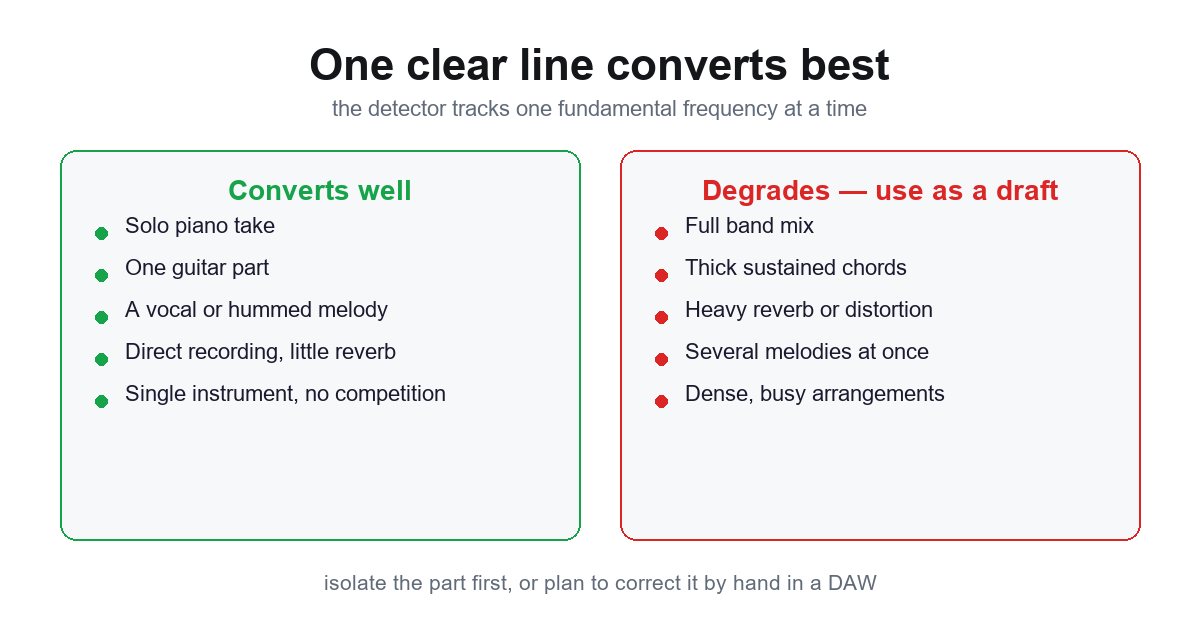
A single, clearly recorded melodic line converts best: a solo piano take, one guitar part, a vocal, or a hummed melody, recorded without heavy reverb and without other instruments competing with it. The pitch detector tracks one fundamental frequency at a time, so when several notes sound at once it locks onto whichever is dominant and the result matches no single part.
Dense mixes, thick sustained chords and heavily processed audio are where results degrade. If your WAV is a full band recording, isolate the part you want first, or treat the output as a rough rhythmic and melodic skeleton to correct by hand rather than a finished transcription. Our page on what to do when polyphonic conversion is inaccurate covers the salvage work.
Convert WAV to MIDI without uploading the file
This converter decodes your WAV with the Web Audio API and runs the pitch detection in JavaScript on your own machine — there is no upload code in it at all. We verified this by running a 25 MB, five-minute WAV while monitoring every network request, and the count was zero. The file never leaves your computer.
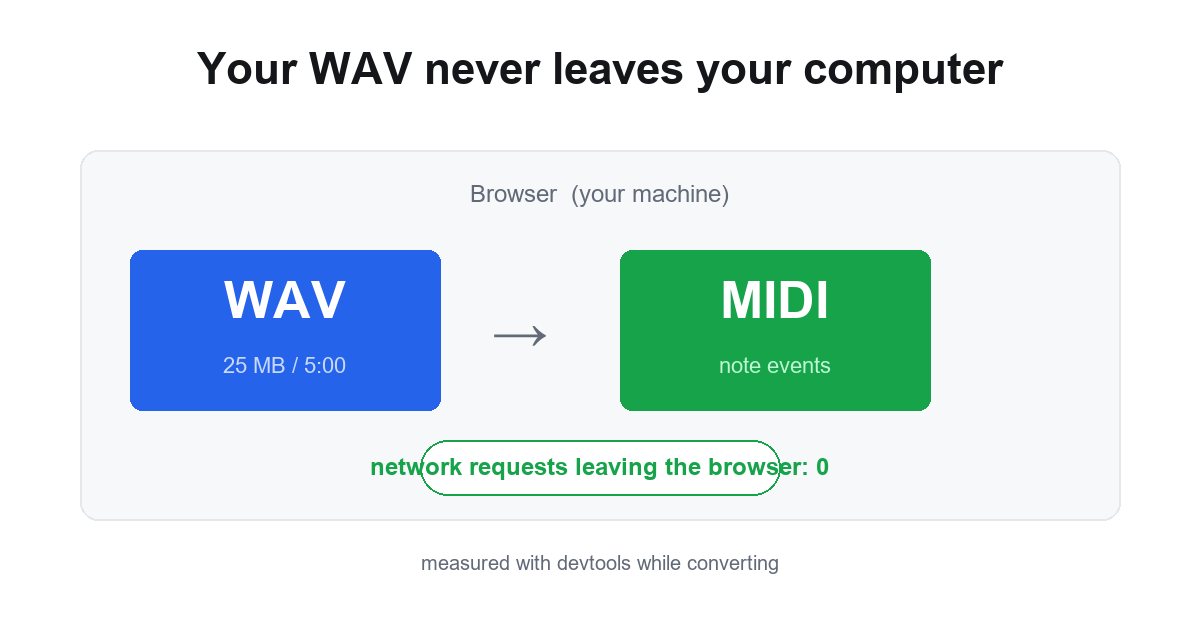
That matters if the audio is an unreleased track, a client's session, or anything you would rather not hand to a third party. There is no login, no queue, and no server-side copy to delete afterward. Many online converters instead process your file on their servers and gate the MIDI download behind an account or a credit balance.
Common questions
Is it free?
It is free here, with no account and no download quota. There is nothing metered to charge for, because the whole job happens on your machine — no server time, no storage, no per-minute billing. You can convert as many files as your browser's own memory allows.
Can I convert MIDI back to WAV?
That is the reverse job and needs different tools. A MIDI file holds no audio — only note numbers, velocities and timing — so turning it into a WAV means rendering it through an instrument: a software synth, a sampler with a soundfont, or a virtual instrument in your DAW. Every DAW can do this by exporting or bouncing the track once you have assigned a sound to it. This converter only goes one direction, audio to MIDI.
What do I get back?
Note events, not audio. MIDI stores pitches, velocities and timing, so the file plays through whatever instrument your DAW assigns, not through your original recording's sound. A MIDI file carries no audio at all — which is exactly why it is editable, and why the same file can sound completely different depending on the synth you put on it.