← Back to the MP3 to MIDI converter
Can you convert audio to MIDI?
Yes. You can turn an audio file — MP3, WAV, OGG, M4A or FLAC — into a MIDI file right in your browser, with no upload and no sign-up. The converter decodes the audio on your device, detects the notes, and gives you a Standard MIDI File you download as a .mid.
What you actually get
The output is a Standard MIDI File (SMF) in format 0: one track, 480 ticks per quarter note, at 120 BPM. It carries the notes the converter detected as note events, and it keeps expressive pitch movement as MIDI pitch-bend data rather than throwing it away. That file opens in any DAW or notation program — Ableton, Logic, FL Studio, GarageBand, MuseScore, and others.
The whole job runs in your browser. The audio is decoded and analysed on your device, so nothing is uploaded and there is no account to sign in to. When it is done you download the .mid directly. There is no file-length or size limit coded into the page — the only ceiling is your device's own memory. It accepts whatever your browser can decode: MP3, WAV, OGG, M4A/AAC and FLAC.
One thing to be clear about up front: the result is notes, not sound. MIDI stores "play this pitch at this time," not the recorded waveform. So you get a score-style representation you can edit, re-instrument, or quantise — not a recording you can listen to.
Why some notes come out off-pitch (and why it is not "free vs paid")
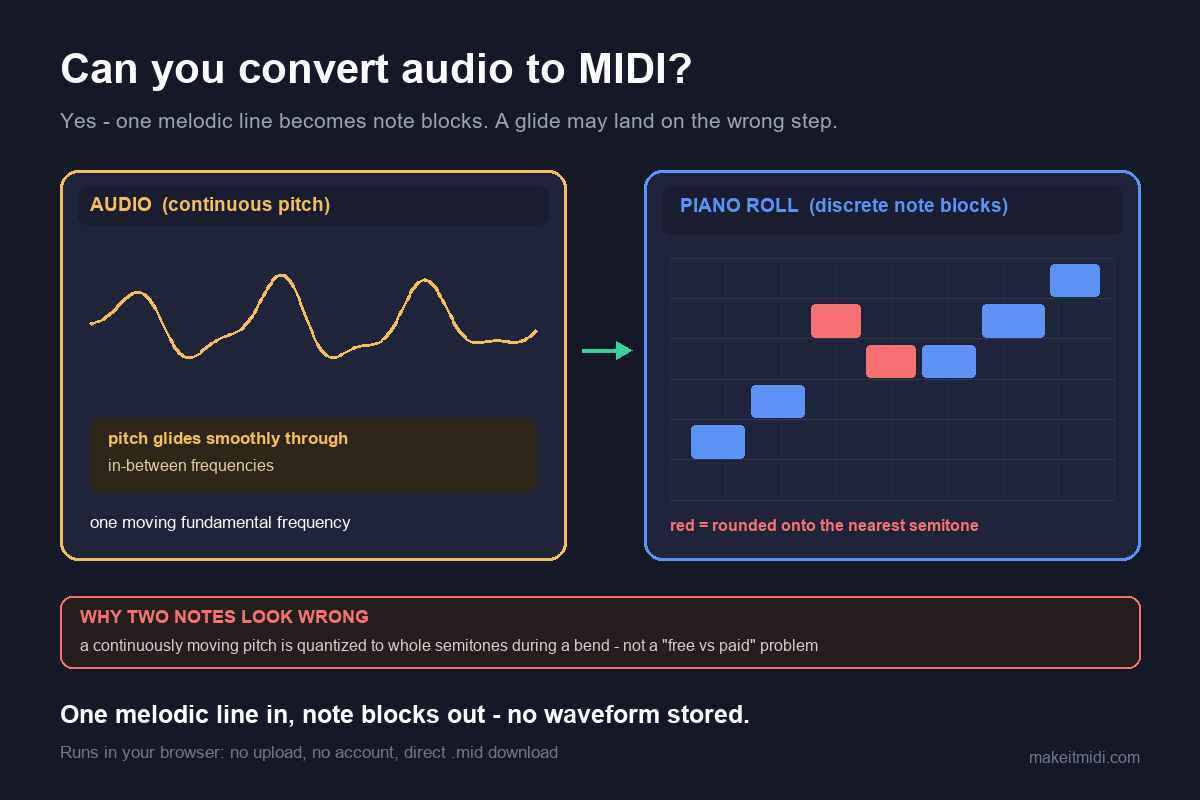
This is the part that surprises people, and it is worth stating plainly because it applies to every pitch-detection tool, whether it is labelled AI or not. A detector has to round a continuously moving pitch into discrete semitone note events. When the pitch glides, slides, or wobbles, the detector snaps that moving pitch to the nearest semitone — so during a bend the note lands sharp or flat even when the pitch was read correctly.
The worst cases are exactly the expressive ones: guitar bends and wide vibrato, vocal slides and runs, sustained string vibrato, blues and soul bent notes, and any microtonal playing fall out of tune almost by definition. Microtonal intervals that sit between the steps of twelve-tone equal temperament get yanked to the nearest semitone. By contrast, a clean solo piano note or a steady synth lead — fixed pitches with no glide — comes out fine.
So the honest framing is this: it is not that a free tool is "worse" than a paid one. In producer forums the complaints about out-of-tune output attach to free browser converters and the $80 desktop options alike — even the well-rated paid tools leave the correction to you. On bend-heavy material, judge a tool by what it does with the bends, not by whether you paid for it.
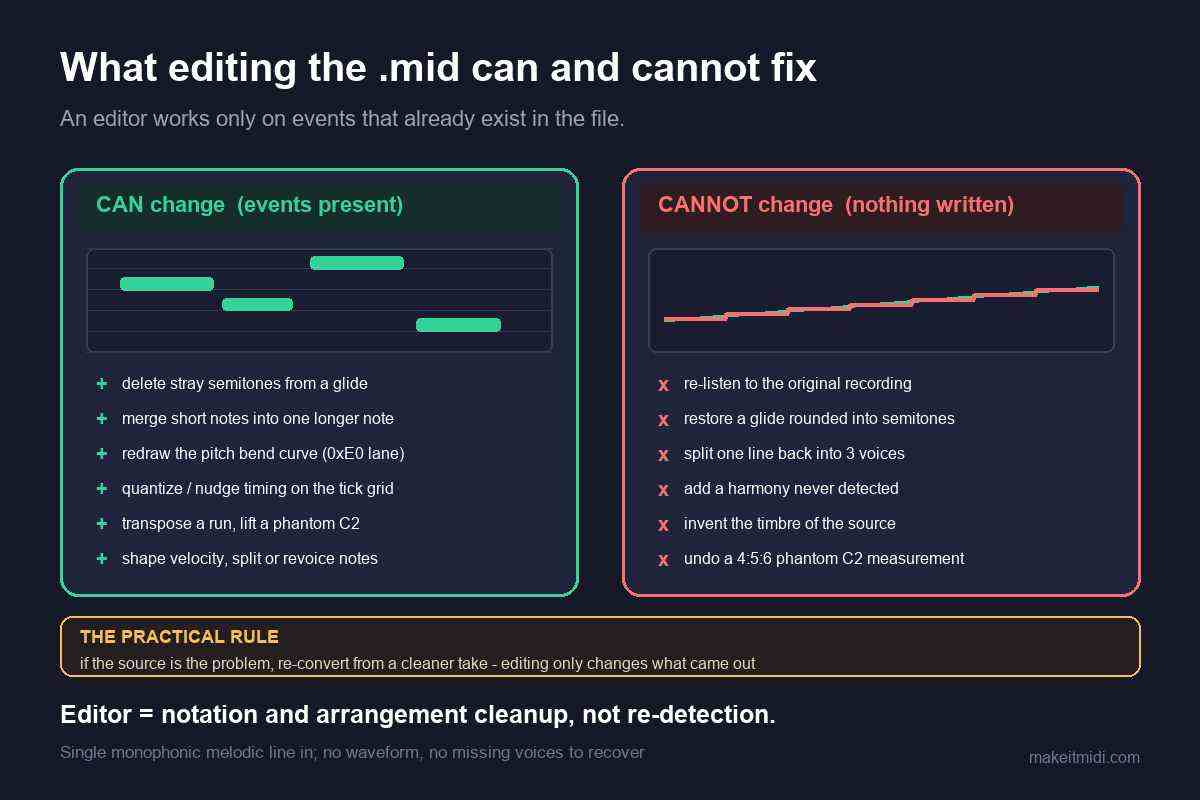
What you can do about it: look at the detector's output for the glissando and ornament positions and nudge those notes by ear; reach for a cleaner take of the same line; use a single-note correction tool like Melodyne's monophonic mode; or simply accept that bend-heavy source comes out as a draft. The rhythm, contour, and skeleton are there — the last stretch is yours to finish.
What it does and doesn't do
The converter extracts one melodic line from the audio — the strongest tune it can follow — not a separated, per-instrument arrangement. On a busy mix that line is the dominant melody; it is not every part split into its own track. Pulling a full recording into clean per-instrument stems is a separate, server-side separation job that this page does not do.
That is a deliberate scope, and it is what keeps the tool honest and fast and fully on-device. For most uses — sketching an idea, getting a singable melody into your DAW, grabbing the hook of a track to rebuild from — one good melodic line is exactly what you wanted. Where accuracy matters most is the source you feed it: a clean solo recording in a quiet room beats a heavily compressed, reverberant, or noisy clip every time.
No accuracy percentage is printed here on purpose. The result varies with the recording, and any fixed number would be a guess. What can be stated — and what the rest of this site states — is precisely how the output is built and where its limits sit, so you can decide when to use it and when to reach for a heavier pipeline.