← Back to the MP3 to MIDI converter
How do I change an MP3 file to MIDI?
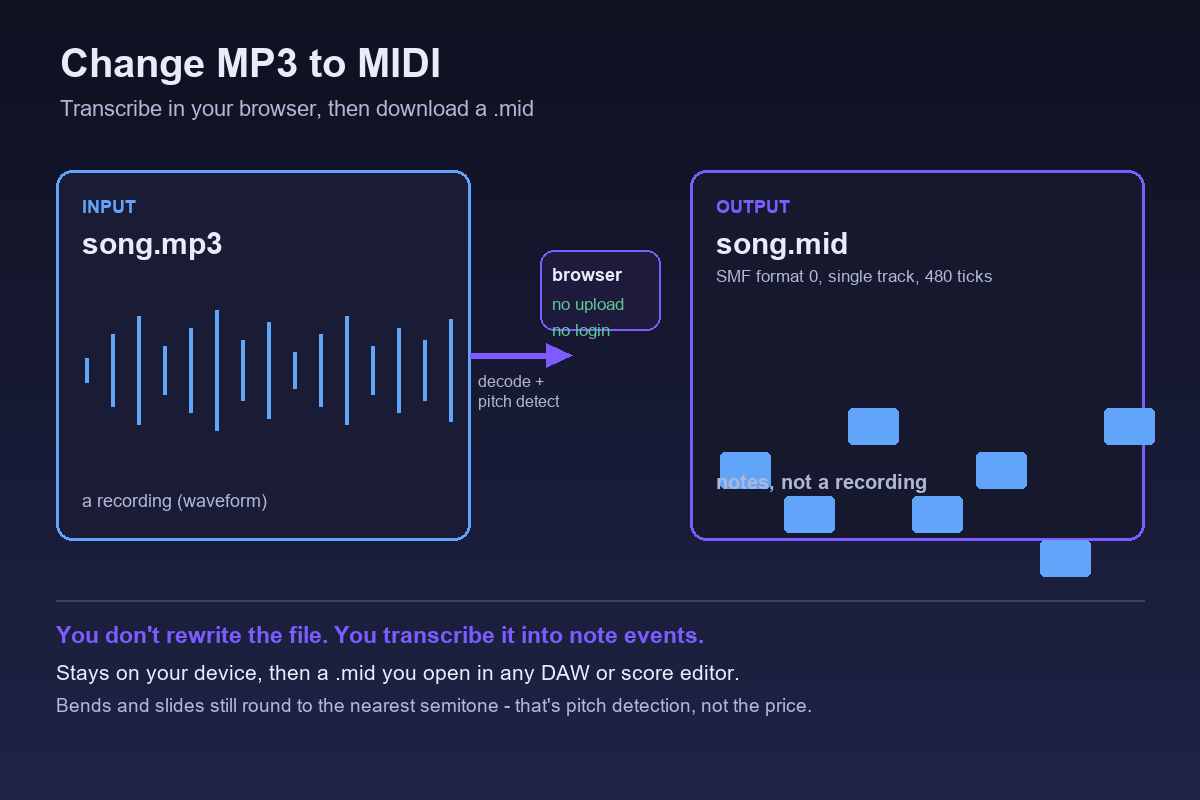
You don’t rewrite the MP3 into a MIDI file — you transcribe it. A converter like this one reads the audio inside your browser, finds the melody, and writes a Standard MIDI File (.mid) you download. Nothing is uploaded, there is no login, and what you get back is a list of note events, not a recording.
What “changing” MP3 to MIDI really means
It is a transcription, not a file-format filter. There is no command that turns one container into another and keeps the sound. MP3 stores a waveform (pressure over time); MIDI stores notes (which pitch starts when, for how long). So the job is to listen to the waveform and decide what pitch is sounding, then write that down as note events. The result is a Standard MIDI File (SMF) format 0: one track, 480 ticks per quarter note, at 120 BPM, holding a single melodic line.
On this site all of that runs in your browser. The audio is decoded locally, the pitch is detected locally, nothing is sent to a server, there is no account to make and no login to type, and you download the .mid straight to your device. MP3, WAV, OGG, M4A/AAC and FLAC all take the same path. The code sets no file-length or file-size limit; only your device memory does. No accuracy percentage is printed here, because the outcome depends entirely on the source — a single number would only be a guess.
How to change it in three steps
1. Open the converter in your browser. No install, no sign-up. 2. Pick the MP3 (or drop it onto the page). It is read on your machine, so the file never leaves the device. 3. Download the .mid. A few seconds later you have a Standard MIDI File you can open anywhere.
That last point is the practical difference from tools that ask you to upload first. When nothing is uploaded and there is no account, the file you started with stays in your hands the whole time, and you are not waiting on a server queue. The trade you make is that the converter extracts one melodic line per pass — it is built to turn a tune into notes, not to separate a full band into instruments. See whether chords come out as separate notes for what that means on denser audio.
Why the MIDI can still sound out of tune
Even a clean single-line result can look wrong, and the reason is separate from how the file moved. MIDI note numbers are whole semitones. During a pitch bend, slide, ornament or vibrato, the real fundamental travels between semitones, so the detector has to round each moment to the nearest note — and the frames inside the bend get written down as the “wrong” neighbours. Microtonal material is pulled onto the nearest semitone for the same reason, because it sits outside the twelve-tone grid.
This is worst on guitar bends and wide vibrato, vocal slides and melisma, string vibrato, and blues or soul phrasing, where moving pitch is the whole point of the performance. It is nearly absent on clean, isolated piano single notes and a steady synth lead, where the pitch sits still. Practical handling: look at the detector’s spectrogram for where notes glide or carry grace notes and correct those positions by hand, choose a cleaner source, use a single-note-mode editor for the awkward phrases, and accept that a bend-heavy take is a draft rather than a finished score.
One blunt fact worth keeping: this is a limit of pitch detection itself, not a “free tools are worse” problem. In community threads people do not complain that the free converter is free; they describe the same drift on paid converters costing $80. If you are choosing a tool, the useful question is how it lets you handle bends, not whether it charges.
What you can open the MIDI with
A .mid opens in essentially any DAW or notation program — the piano roll is where you tidy the stray notes and rebuild anything the detector missed. The step that always works, in every editor, is the same: convert the audio to a .mid file first, then import that file. We deliberately do not claim that any particular program does or does not offer audio-to-MIDI built in. We have not verified that against an official source for every version, and guessing about someone else’s feature list would be worse than giving you a route that works everywhere. Once the .mid is in your editor, the notes are yours to fix.