← Back to the MP3 to MIDI converter
Is MIDI free?
Yes — the MIDI standard itself is an open specification anyone can use without paying, and there are converters (including this one) that turn audio into a Standard MIDI File for free, with no account and nothing uploaded. What "free" does not buy you is a perfect transcription; that depends on the audio, not the price.
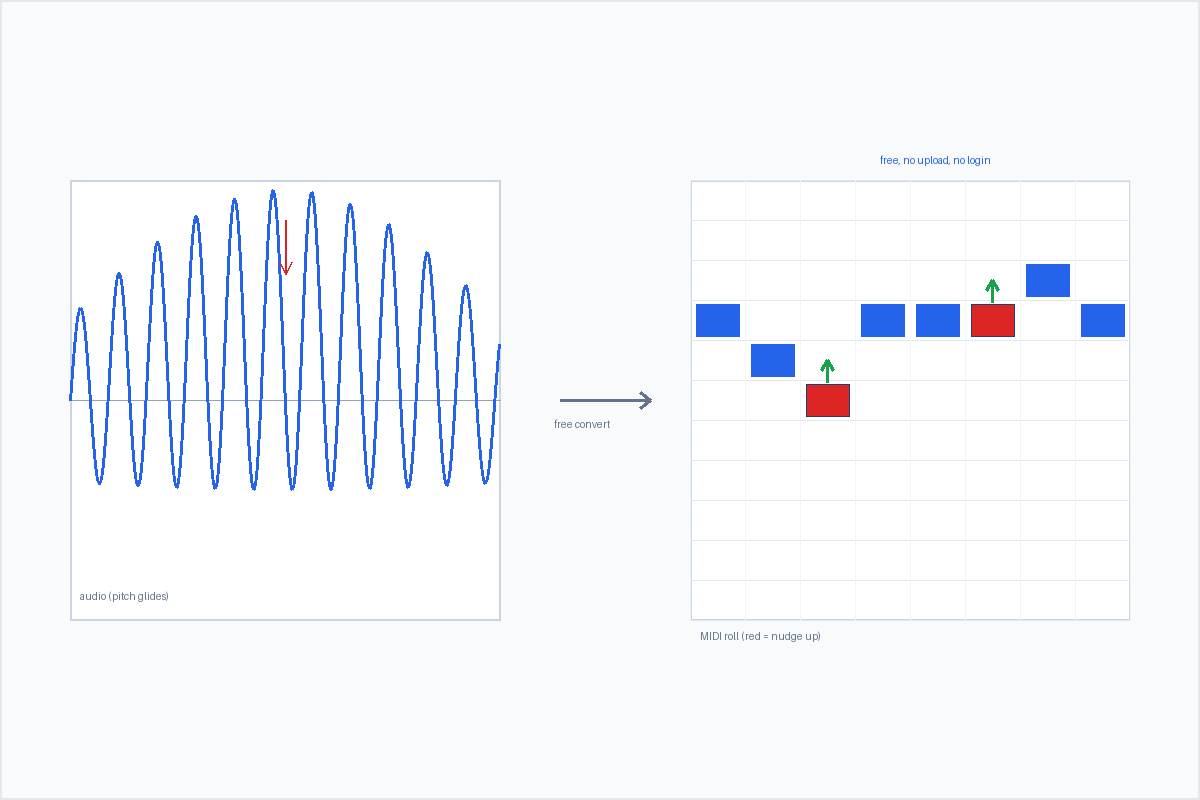
What "free" means for MIDI — and for a converter
MIDI is an open standard maintained by the MIDI Association. The spec is public, and you can create, play, and edit MIDI files without buying a license or a program. In that sense, MIDI has been free since the 1980s.
A converter is a separate question. Many "free" audio-to-MIDI sites attach a catch: a length cap, a
sign-up wall before the download, a server that takes your file, or a trial that quietly expires. This site is
free in the plain sense — it runs entirely in your browser, so the decoding and pitch detection happen on
your device, nothing is uploaded, there is no account to make, and you download the .mid directly.
It reads whatever your browser can decode, typically MP3, WAV, OGG, M4A/AAC and FLAC, and there is no file-length
or size limit written into the page — only whatever your device's memory allows.
Why a free converter can still come out "out of tune" — and why paid ones do too
This is the part that surprises people, and it is the same for every pitch-detection tool, AI-labeled or not. A detector has to round a continuously moving pitch into discrete semitone note events. Any note that bends, slides, or wobbles (vibrato) has an instantaneous frequency that keeps changing, so the detector snaps it to the nearest semitone and it lands sharp or flat even when the pitch was detected correctly. Guitar bends and wide vibrato, vocal slides and runs, blues and soul bent notes, sustained string vibrato, and quarter-tone or microtonal music come out off almost by definition. A clean solo piano or a steady synth lead, by contrast, comes out fine.
The honest framing: it is not that a free tool is "worse" than a paid one. In producer discussion threads the complaints about off-pitch output attach to free browser tools and the $80 desktop options alike — even well-rated paid tools leave the last bit of correction to you. Nobody in those threads blames "free"; they blame the bends. So judge a converter by what it does with the bends in your audio, not by whether it cost money.
How to live with it: look at the detector's output around the slide and ornament spots and nudge those few notes by ear, pick the cleanest take you have, or run a single-note correction pass in a pitch editor. On bend-heavy material, accept that any converter — free or paid — gives you a draft, and finish the last stretch yourself.
What you get for free here
You get a monophonic sketch: note names with start times and lengths, in a file you can drag into any DAW and fix note by note. Concretely, the output is a Standard MIDI File — format 0, a single track, 480 ticks per quarter note, at 120 BPM — that opens in Ableton, Logic, FL Studio, GarageBand, MuseScore, and anything else that imports MIDI.
It extracts one melodic line at a time: one pitch from the audio, not a separated multi-instrument mix. There is no batch mode, no login, and no history stored. We also do not print an accuracy percentage — not because the number would be inconvenient, but because the truthful answer is that it varies with the recording, and any fixed number we printed would be a guess about your file.
When paying might still be worth it
A free, browser-only converter is built for the single clear line. A few jobs are genuinely different, and that is where paid tools earn their price:
- Splitting a full mix into parts. Separating a song into per-instrument stems needs a server-side separation service; a browser tool reads one combined signal.
- Instrument-specific models. Some paid apps train on guitar or voice specifically, which can help on material that a general model finds ambiguous.
- Correction built into the export. A pitch editor (Melodyne is the commonly cited example) lets you fix the bendy notes before you leave the app.
We do not claim which specific app has what built in — that changes version to version and we would rather
not guess. The route that works everywhere is: get the .mid from a converter, then open it in your
DAW or a pitch editor to finish. Free gets you the draft fast; paid gets you the extra passes some material
needs. They are different tools, not a ladder where paid is "better."