← Back to the MP3 to MIDI converter
What is the best audio to MIDI converter?
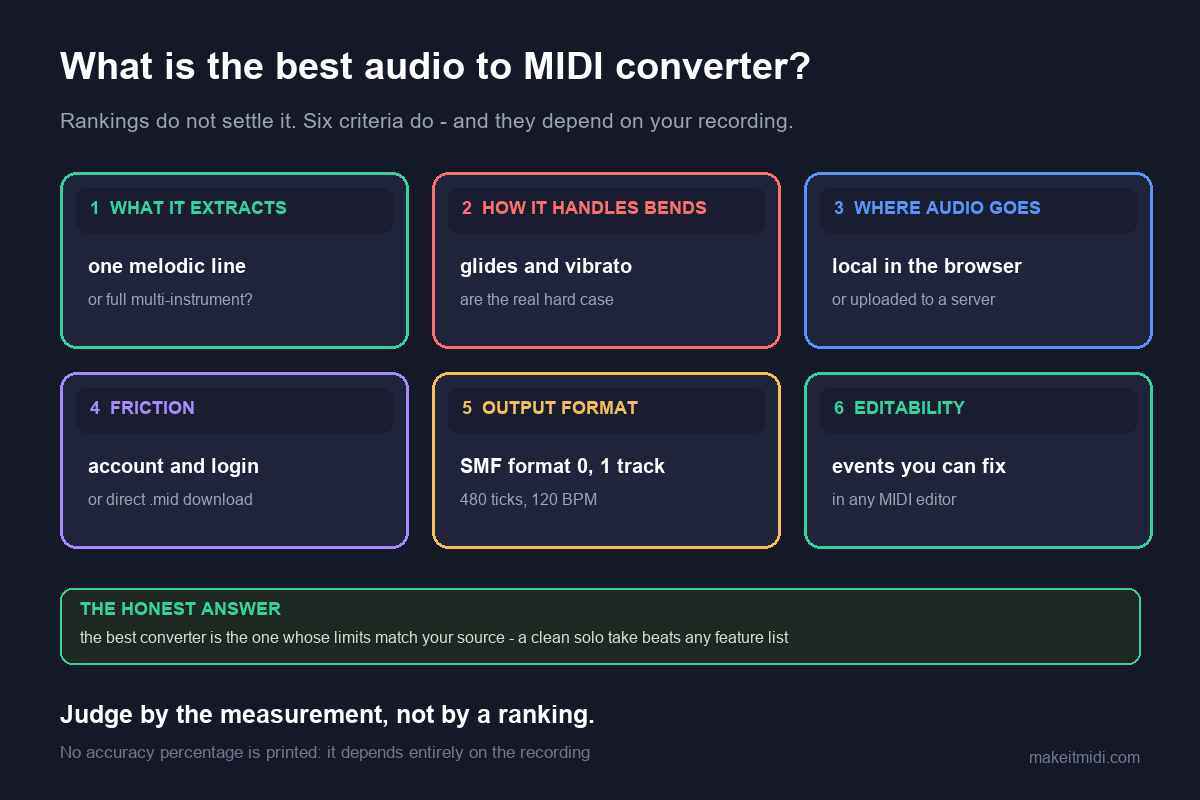
There isn't one. There's the right one for what you're converting and what you'll accept to get it. Below are the criteria that actually change the result, so you can judge any converter — including this one — instead of trusting a ranking.
Why rankings don't settle this
A "best converter" list has to pick one winner across situations that aren't comparable. A tool built to separate a full band into parts and a tool built to grab one melody off a phone recording are doing different jobs, and whichever one the list ranks first will be wrong for half the readers. What actually decides it is a handful of specifics about your file and your tolerance.
The criteria that matter
1. Monophonic or polyphonic
This is the one that dominates everything else. If you're converting a single line — a vocal, a flute, a synth lead, a solo instrument — a single-line detector is a good match and will give you clean, editable notes. If you need a full mix separated into parts, that's a different and much harder problem, and a single-line tool will only ever hand you an approximation of the top line. Decide which you have before comparing anything else.
2. Where the file goes
Some converters process on their servers, which is how they can afford heavier analysis. Others run locally, in the browser or as installed software. If the audio is unreleased, client work, or simply yours, this is not a footnote — it's a hard requirement, and it eliminates a lot of otherwise good tools.
3. What comes out
A Standard MIDI File is the common denominator and opens anywhere. Some tools go further and also produce notation, MusicXML, or guitar tab. If your destination is a DAW, MIDI is enough. If it's sheet music, check the output formats before you start.
4. Limits and friction
Free tiers commonly cap length, file size, or export formats, and some put the download behind an account. Check those before you invest time in a conversion — a 30-second cap is fine for a loop and useless for a full take.
5. Can you correct it afterwards
Every converter gets some notes wrong on real recordings. Tools that show you the detected pitches and let you fix them before export produce better final results than one-shot conversions, at the cost of your time. If the take matters, this matters.
6. Cost
Paid tools buy you polyphonic separation, editing, and longer files. Whether that's worth it depends entirely on how much of it you need — for a one-off melody grab, usually not.
Where this converter fits, honestly
Measured against those six, here's the straight version of what this page is and isn't:
- Monophonic only. It tracks one pitch at a time. Single-line sources give the most usable result; dense mixes come back as an approximation of the top line.
- Nothing is uploaded. Decoding and pitch detection both run in your browser. The audio never leaves your device.
- Output is a Standard MIDI File — format 0, single track, 480 ticks per quarter note, 120 BPM.
- No account, no upload, no length or size cap written into the page — how much you can process depends on your device's memory. Long files take longer because every frame is analysed locally.
- No editing before export. You get the conversion, not a correction step. If you need to fix pitches by hand first, that's what a tool like Melodyne is for.
- No accuracy percentage. Not from us, and treat any you see elsewhere with suspicion — it depends on the recording.
So which should you pick
- You want a .mid file and you don't want the audio leaving your machine → use this page.
- You want to fix the detected notes before exporting → use a pitch-editing tool (Melodyne is the documented example) and export from there.
- You need a full mix separated into parts → you need a polyphonic service. This page cannot do that, and nothing that runs only in your browser realistically will.
- You want it inside your DAW → check whether your DAW has it built in first: Ableton, Logic Pro, Cubase, FL Studio, Pro Tools.