← Back to the MP3 to MIDI converter
Can you convert bass audio to MIDI?
Yes — in your browser you can turn a bass recording into a MIDI file without uploading the audio or signing in. Bass is one of the friendlier instruments to convert, because a bass line usually plays one note at a time, so the detector has a single pitch to lock onto. What bites is the low register and the slides between notes. The honest version is below.
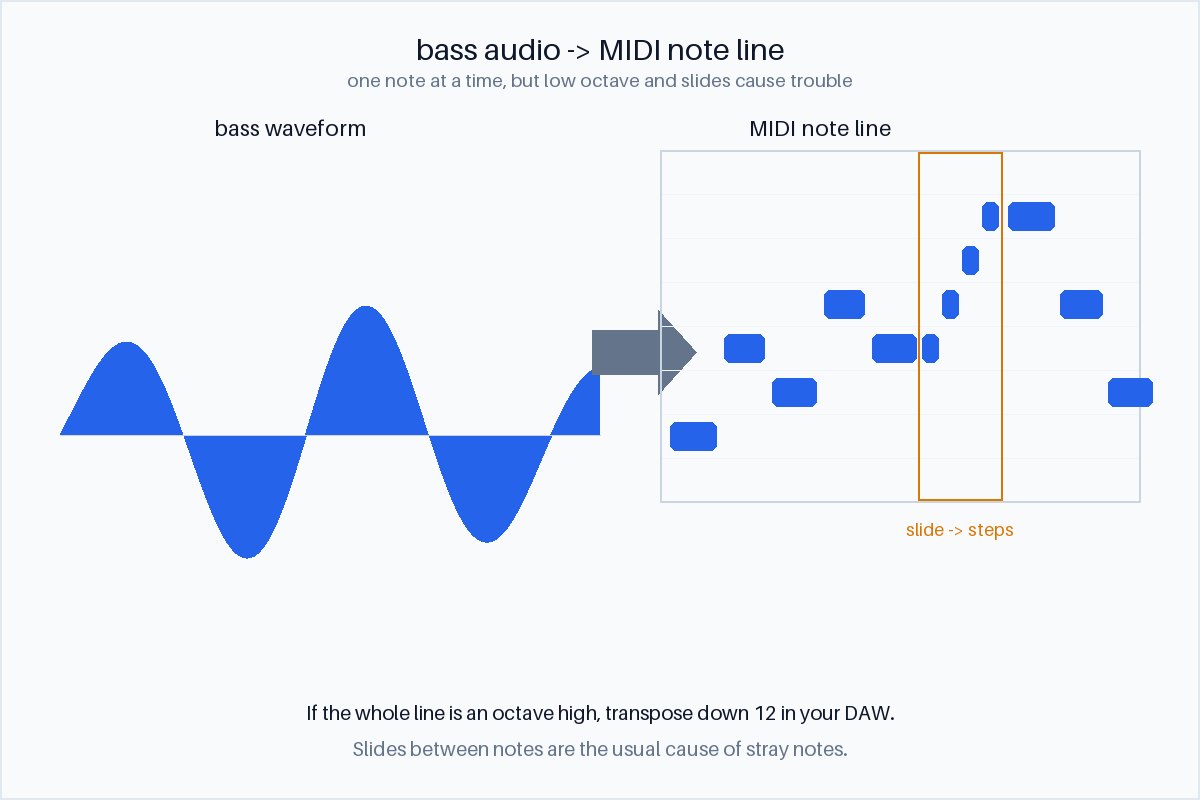
What you get from bass audio
You get a monophonic MIDI line. The conversion runs entirely in your browser — the audio is decoded locally with the Web Audio API, nothing is uploaded, and you do not sign in; you download the .mid directly. The output is a Standard MIDI File (SMF) format 0: one track, 480 ticks per quarter note, holding the detected notes. It accepts whatever your browser can decode — MP3, WAV, OGG, M4A/AAC, FLAC.
Because a bass part is normally one note at a time, the result is a clean single line you can read and edit, rather than a stack of overlapping notes. That makes bass a better starting point than a strummed guitar or a full mix, where several pitches sound at once.
Why bass is easier than drums — but harder than you would think
The easy part. Drums have no sustained pitch at all, so drum audio gives you a rhythm outline. Bass does have a pitch, and it usually holds it long enough to be read. One note at a time also means the detector is not fighting polyphony. On those two counts bass is well-behaved.
The low-register trap. A bass fundamental sits low — often in the range where the first harmonics are stronger than the fundamental itself. When that happens a detector can lock onto the second harmonic and report the note an octave too high. The shape of the line is right; the octave is wrong. If every note comes out an octave up, that is usually why — and it is a one-click fix in a DAW (transpose down 12 semitones), not a reason to distrust the file.
The slide problem. Bass players slide between notes. During a slide the fundamental is not sitting on any one semitone — it is sweeping continuously from one to the next. A semitone-based detector has to round a moving target to the nearest key, so a smooth slide can come out as a short run of stepped notes, or as a wrong note on the way. This is the same pitch-detection limit that makes some conversions sound “out of tune”: the tool is not broken, it is being asked to name a pitch that is deliberately between pitches. We do not quote an accuracy percentage, because the result depends on the recording — how much the player slides, how clean the tone is — not on the price of the tool.
Short and muted notes. A dead note, a muted thump, or a very staccato pluck decays before there is enough steady pitch to read. Those are the notes most likely to be dropped or misread.
How to get the cleanest bass result
- Isolate the bass first. A bass stem, or a bass-only take, keeps the kick drum and keys from masking the low notes and lets the line read cleanly.
- Prefer a clean DI or line-in recording. A direct signal has less room rumble and fewer overtones than a mic in a live room, which reduces octave confusion.
- Check the octave before you edit. If the whole line is an octave high, transpose it down 12 in your DAW — the notes themselves are likely correct.
- Treat slides as decoration, not as notes. Where a slide turned into a run of stepped notes, delete the filler and keep the target notes; or keep them if you want the glissando.
- Finish by hand. The exported line is a strong starting point you quantise and clean up, not a finished performance.
Using the bass MIDI
Because the export is one Standard MIDI track, you can bring it into any DAW — Ableton, FL Studio, GarageBand, Logic, Reaper, or anything that opens Standard MIDI Files (the import steps are on the FL Studio / GarageBand and Ableton pages). Once it is a MIDI clip:
- Fix the octave if needed. Transpose the whole clip down 12 semitones when the line came out an octave high.
- Re-voice it. Keep the notes and swap the sound for your own bass patch, sub, or synth — the MIDI carries the performance, not the tone.
- Clean the slides. Remove the stepped filler around a glissando, or turn it into a real pitch bend if your instrument supports it.
- Work at your own speed. Slow the project down without changing pitch, loop a tricky phrase, and the note grid stays put the way a waveform does not.
Is bass easier to convert to MIDI than guitar or drums?
Usually, yes — but for different reasons in each case. Compared with drums, bass is easier because it has a real, sustained pitch, so you get notes rather than only a rhythm grid. Compared with guitar, a single-note bass line is often easier than a strummed guitar, because a chord is several pitches sounding at once and a detector has to untangle them; a clean, single-note guitar line is closer to bass. The catch specific to bass is the low register, where octave errors are more likely, and the slides that players use to connect notes. So: easier than drums and chords, with its own low-end traps.
What audio works best for MIDI conversion?
For any source, an isolated stem beats a full mix: a bass stem converts cleaner than bass under a full band, just as an isolated vocal beats a full song. Steady, sustained, single-pitch material — a held bass note, a piano note, a sung vowel — is the easiest; transient, unpitched, or polyphonic material (drums, a dense mix) is the hardest. The variable is the signal, not the software tier, and the most useful thing you can do before converting is separate the part you actually want.