← Back to the MP3 to MIDI converter
How well does MP3 to MIDI work on piano music?
It handles clean, single-note piano lines well, but because it extracts one melody at a time it cannot rebuild a full piano score — chords and the sustain pedal get reduced to a single part, and you should expect a little manual cleanup. The honest version is below.
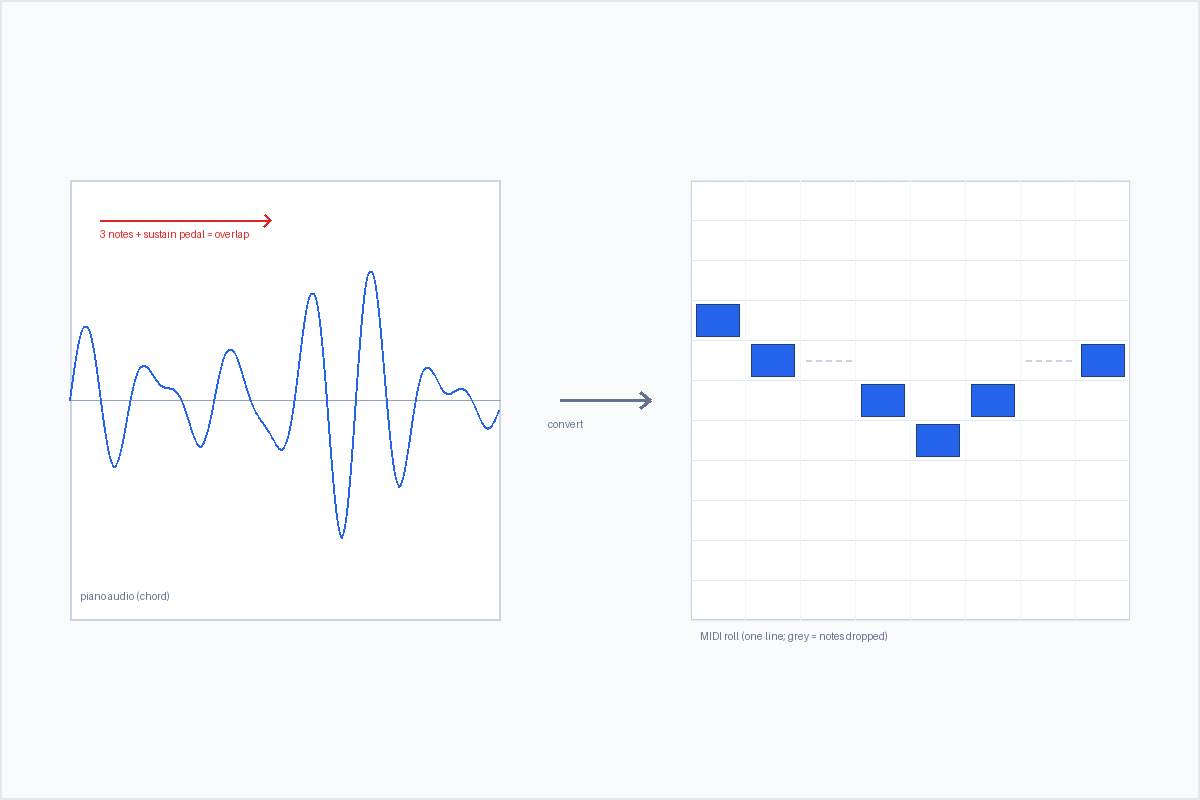
What you actually get from a piano MP3
You get a single melodic line, not a notated score of everything the pianist played. The conversion runs entirely in your browser — the audio is decoded locally with the Web Audio API, nothing is uploaded, and you do not sign in. The output is a Standard MIDI File (SMF) format 0: one track, 480 ticks per quarter note, 120 BPM, holding the detected melody. It supports whatever your browser can decode — MP3, WAV, OGG, M4A/AAC, FLAC — and there is no length or file-size cap written into the page; the only limit is your device's memory.
That last point is the whole story for piano: the page runs a monophonic pitch detector, so it tracks one pitch per moment. A clean solo piano phrase — one note at a time — is close to an ideal input, and the MIDI you get back is genuinely usable. The trouble starts the moment the music stops being one note at a time.
Where piano specifically trips the converter
Piano music is rarely one note at a time. Two things in particular push against a monophonic detector:
- Chords. When you play three notes in a chord, the waveform contains three fundamentals at once. The detector can only follow one, so it grabs the most prominent line and drops the others. What you receive is an approximation of the top voice, not the harmony.
- The sustain pedal. Holding the pedal lets note after note ring and overlap. With no silence between sounds, the onset detector cannot tell where one note ends and the next begins, so notes smear together or split into the wrong lengths.
Piano also has a very rich timbre — lots of overtones — so even a single note gives the pitch detector more harmonic material to weigh than, say, a pure sine. None of this means the tool is broken. It means a monophonic detector is being asked to do polyphony, and the physics of overlapping sound does not allow a clean single-line answer. The same wall is described in detail on the polyphonic and dense mixes page. If you want the harmony, the practical move is to isolate each hand or voice first (a stem splitter, or simply recording hands separately) and convert each part on its own.
The “out of tune” question for piano
Here the news for piano is mostly good. A piano is a struck, fixed-pitch instrument: in most repertoire there is no vibrato and no pitch bend, so a single clean note usually comes out in tune. The notes are where they should be; what you are missing is the other notes, not wrong tuning.
The exception is when the performance itself contains pitch inflection — a glissando, a sliding jazz or blues run, a performer bending a note, or extended techniques that drag pitch. During a continuous glide the instantaneous frequency is moving the whole time, so there is no single semitone to land on; the detector snaps the slide to a neighbouring note and that note reads as “out of tune.” This is the same bend limitation that affects guitar and voice, and it is a pitch-detection physics limit — not a “the free version isn’t good enough” problem. Community reports about pro tools consistently note that even paid converters (the kind people pay $80 for) mistrack bends too; nobody blames the price, because the limit is in the signal. If wandering tuning on bent passages is your specific symptom, the dedicated walkthrough is why MP3 to MIDI sounds out of tune. For straight piano chords, the problem is missing notes, not wrong tuning.
How to get the best piano result
- Feed a clean single line for the cleanest MIDI. A solo piano melody, one note at a time, gives the detector exactly the one-pitch-at-a-time input it is built for.
- Separate the parts if you want harmony. Run a stem splitter or record each hand on its own track, then convert each voice separately. You end up with clean per-voice MIDI you can re-stack, instead of one messy guess.
- Expect to redraw a few notes by ear. Bent or glissando passages and pedal-smears will need light correction. That is normal cleanup, not a failure of the tool.
- Finish it in your DAW. Re-instrument the track, quantise if you like, and compare it against the original. Treat the first pass as raw material — for piano it is a strong skeleton you complete, not a finished engraving.
Convert a piano recording to MIDI