← Back to the MP3 to MIDI converter
Can you convert drum audio to MIDI?
Yes — in your browser you can turn a drum recording into a MIDI file without uploading the audio or signing in. But be clear about what “drums to MIDI” gives you: because a drum hit is a transient with no single sustained pitch, the result is a rhythm outline, not a clean melody line. The honest version is below.
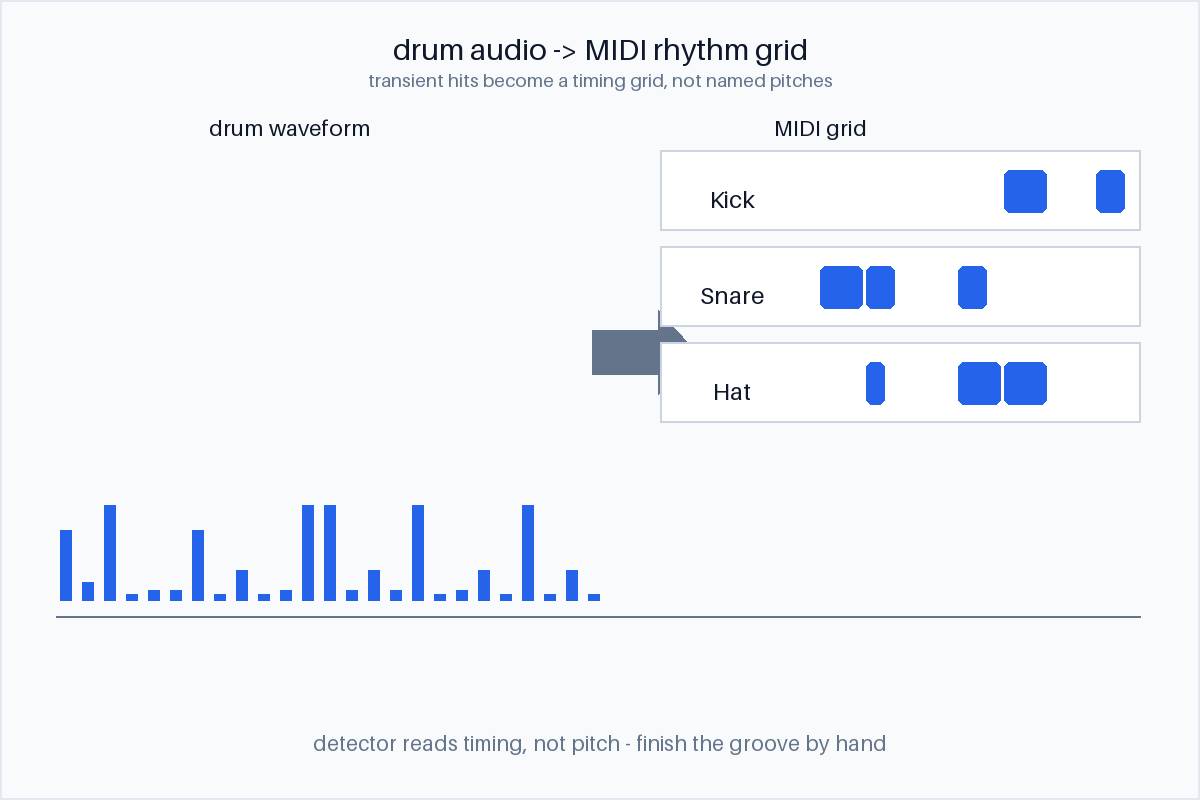
What you get from drum audio
You get a percussion MIDI. The conversion runs entirely in your browser — the audio is decoded locally with the Web Audio API, nothing is uploaded, and you do not sign in; you download the .mid directly. The output is a Standard MIDI File (SMF) format 0: one track, 480 ticks per quarter note, holding the detected rhythm. It accepts whatever your browser can decode — MP3, WAV, OGG, M4A/AAC, FLAC. Where the detector can tell the parts apart, it separates kick, snare and hat into their own moments; where it cannot, it gives you the timing of the hits and leaves the labelling to you.
For drums specifically, there is no melody to read. A drum kit is a set of unpitched percussion, so the useful output is the timing grid — when each hit lands — rather than a row of named pitches. Anyone expecting a flute-like melody line out of a drum track is asking the tool for something the signal does not contain.
Why drums are the hard case
This is the part most converters dodge, so it is worth being precise. Pitch detection is built around sustained tones: a piano note or a sung vowel holds a roughly constant fundamental frequency long enough for the detector to lock onto one semitone. A drum hit does the opposite — it spikes and decays in milliseconds, with no steady fundamental to tune to. The detector has nothing to “commit to,” so assigning a pitch the way it does for voice or piano is not meaningful here. On top of that, a kick, snare and hats often strike at the same instant, which is polyphony on top of no-pitch. That combination — transient plus simultaneous — is a pitch-detection limit, not a “the free version isn’t good enough” limit. We do not quote an accuracy percentage, because the answer depends entirely on the source you feed it, not on the price of the tool.
What makes it worse. A busy, layered mix (drums under bass, guitars and keys) buries the transients; a single isolated drum stem is far cleaner. By contrast, a steady piano single note has no attack-decay ambiguity and comes out clean. The variable is the recording, not the software tier.
How to get the cleanest drum result
- Isolate the drums first. An isolated stem (or a drum-only take) removes the instruments that bury the transients and lets the onsets read clearly.
- Pick the cleanest mix. Less reverb and fewer layered parts means sharper hits and fewer false notes.
- Treat it as a rhythm sketch. The timing grid is the valuable part — rebuild the groove in your DAW from the hits, and do not expect named pitches.
- Finish by hand, or use a dedicated drum-to-MIDI tool. The exported grid is a strong starting point you quantise and label yourself; a tool built specifically for drum separation will usually beat a general converter on this one job. We only assert what we can verify — so we give you the file and let your own tool open it.
Using the drum MIDI
Because the export is one Standard MIDI rhythm track, you can bring it into any DAW — Ableton, FL Studio, GarageBand, Logic, Reaper, or anything that opens Standard MIDI Files (the import steps are on the FL Studio / GarageBand and Ableton pages). Once it is a MIDI clip:
- Rebuild the groove. The hits become a note grid you can quantise, re-sample, or replace with your own drum sounds.
- Check the arrangement. Read where the fills land, how the kick sits against the snare, and where the drops are.
- Work at your own speed. Transpose, slow the project down without changing pitch, and loop a tricky phrase — the note grid does not drift the way a waveform does.
What audio works best for MIDI conversion?
For any source, an isolated stem beats a full mix: a drum stem converts cleaner than drums under a full band, just as an isolated vocal beats a full song. Steady, sustained, single-pitch instruments — a piano note, a held synth — are the easiest; transient, unpitched, or polyphonic material (drums, a dense mix) is the hardest. The variable is the signal, not the software tier, and the most useful thing you can do before converting is separate the part you actually want.