← Back to the MP3 to MIDI converter
What does “audio to MIDI” mean?
It means turning a recording into a written-out list of the notes it plays — a Standard MIDI File. It is not recovering a hidden original, and not the reverse job (turning a MIDI into audio). The phrase names a direction: sound goes in, note events come out.
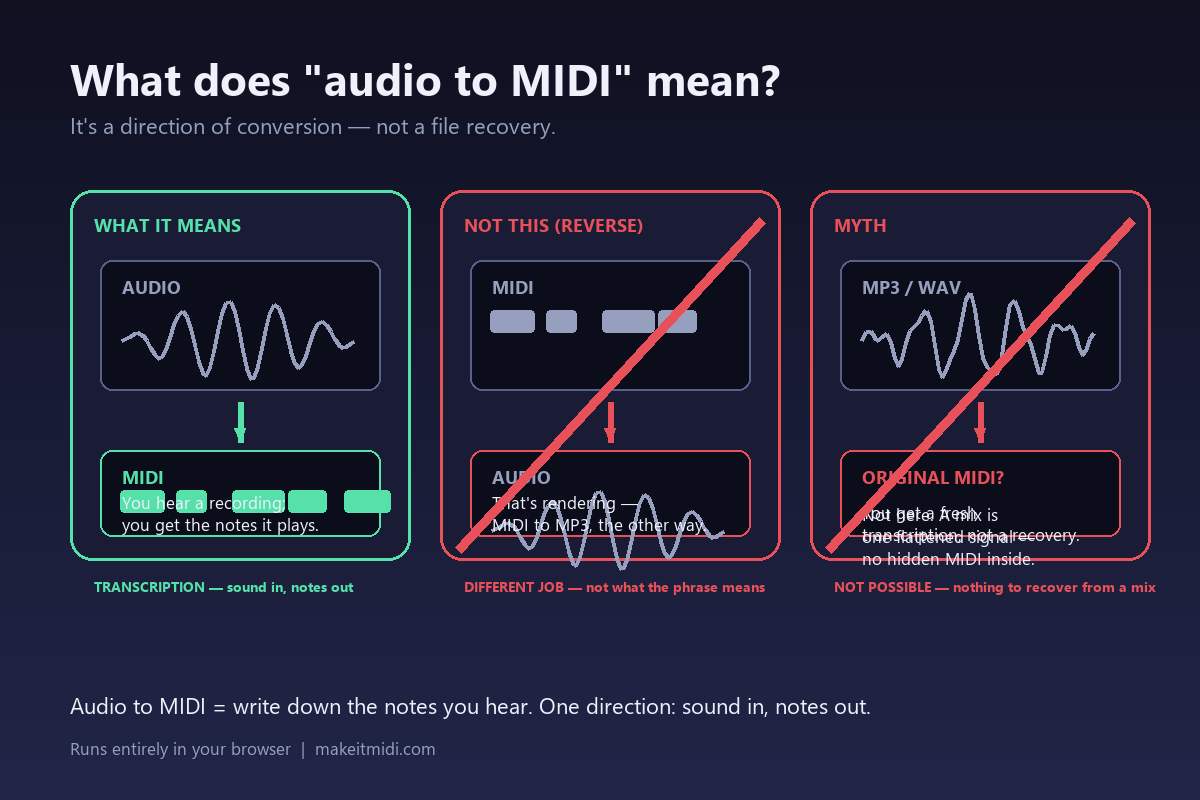
It's a direction, not a thing
“Audio to MIDI” tells you which way a file is moving. Audio is a recording of sound; MIDI is a list of note events. The phrase says the conversion goes from the recording to the notes — so it is a transcription, not a re-packaging of the same sound. That direction is the whole point, and it is worth holding onto, because the two possible directions are completely different jobs that people constantly mix up.
What people actually mean by it
When someone types “audio to MIDI”, they usually mean one of three things — and only the first is what the phrase literally describes:
- “I have a song; give me the notes.” That is transcription: a program listens and writes down the pitches as MIDI. This is audio to MIDI, and it is what the converter on this site does, in your browser, without the audio leaving your device.
- “I have the MIDI; make it play as audio.” That is the reverse — MIDI to audio, also called rendering or bouncing. Different input, different output, different tools. Calling it “audio to MIDI” points the arrow the wrong way.
- “Recover the original MIDI the track was produced from.” That is almost always impossible, and it is the biggest source of confusion. A finished MP3 or WAV has already been summed into one waveform; there is no separate MIDI file hiding inside it to pull out.
Why it can't mean "recover the original MIDI"
A released audio file is a flattened mix: every instrument, the room, the voice and the effects are already baked into a single signal. The producer's original MIDI project is not a layer you can peel off — it was used to make the audio and then left behind. So “audio to MIDI” does not hand you someone's original arrangement back. It produces a new, written-down version of what you hear: a listening step, the same one a musician would do by ear, done by software.
We say that plainly on purpose. We do not claim to reconstruct anyone's production file, and we do not print an accuracy percentage — the honest answer is that the result depends entirely on the recording you feed in. If you already have the original MIDI, you don't need this at all; you just open it.
What you actually get
A Standard MIDI File (format 0, one track, 480 ticks per quarter note, 120 BPM) containing the detected melody. It captures one line — not a split-by-instrument score — so a full band comes back as an approximation of the most prominent part. Open it anywhere a DAW or notation editor runs and it behaves like MIDI you typed in by hand: change the instrument, fix a wrong note, nudge the timing.
For the bigger picture of what that file is and what a converter does internally, see what audio to MIDI is and what a MIDI converter does. The short version: it is a listening tool, not a magic undo button for a mix.
It is not a format conversion
A format conversion (say, WAV to MP3) just re-packs the same sound into a different box. Audio to MIDI is not that — there is no “sound” left in the output, only instructions. Because it is transcription, the result varies with the source: a clean, isolated line gives you something close to finished, while a dense, reverberant mix gives you a rougher sketch of the top line. That is expected, not a fault of any one tool. The notes that come out wrong are wrong for a reason pitch detection can't avoid — during a bend, slide or vibrato the real pitch moves continuously between semitones and has to be snapped to the nearest one.